
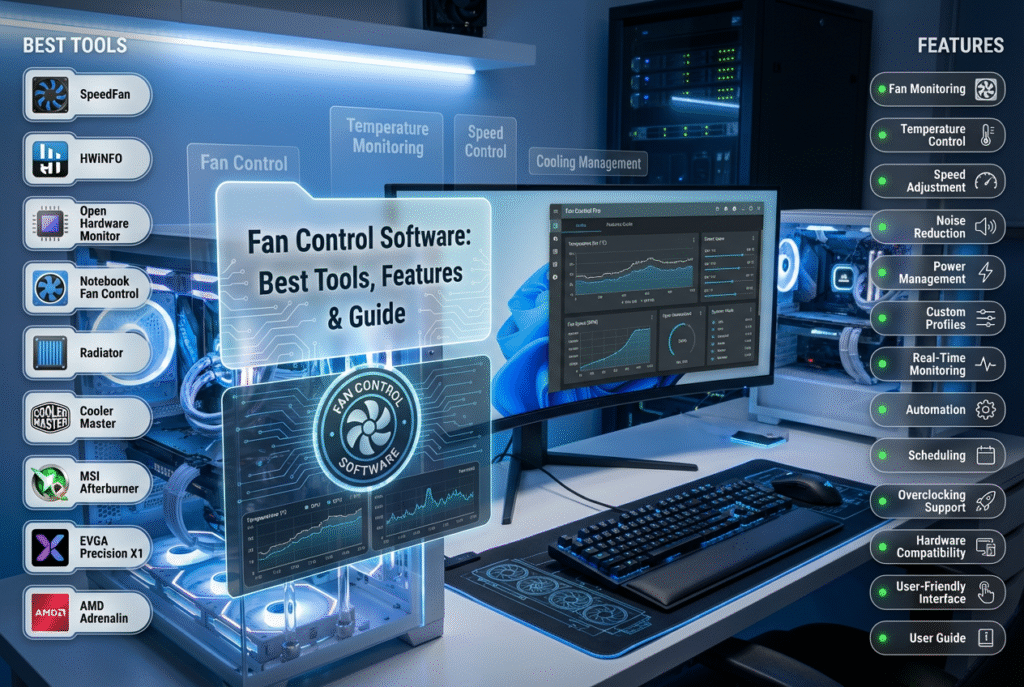

Fan control software gives you complete control over the cooling system inside your computer. Instead of relying on default BIOS settings, you can use these programs to set custom fan curves, adjust speeds based on temperature sensors, and balance cooling with noise reduction.
Modern fan control software supports CPU, GPU, and case fans, allowing you to manage all components from a single interface. Many applications also include system monitoring features, enabling you to track voltages, temperatures, and even storage health. This makes them essential for gamers, workstation users, and PC enthusiasts who want precise control over hardware performance.
Popular tools such as MSI Afterburner, SpeedFan, Argus Monitor, EasyTune 5, and Fan Control (Remo) provide different levels of customization. Some are lightweight and free, while others offer advanced features like hysteresis, calibration, and plugin support for third‑party sensors.
By using fan control software, you ensure smoother performance, quieter operation, and longer hardware lifespan. Are you ready to explore which tool fits your system best?
What Is Fan Control Software?
Fan control software is a program that lets you manage the speed and performance of your PC’s fans. Instead of relying on default BIOS settings, you can create custom fan curves, reduce noise, and optimize cooling for gaming, productivity, or workstation tasks.
Modern fan control software supports CPU, GPU, and case fans, giving you complete system‑wide control. Many applications also monitor temperatures, voltages, and storage health, making them essential for PC enthusiasts.
Why Do You Need Fan Control Software?
- Prevent Overheating: Fans adjust based on temperature sensors to keep hardware safe.
- Reduce Noise: Custom fan curves allow smoother operation and quieter performance.
- Improve Efficiency: Optimized cooling extends hardware lifespan.
- System‑Wide Control: Manage CPU, GPU, and case fans from one interface.
According to Reddit hardware forums, fan control software is one of the most recommended tools for gamers and power users who want precise cooling management.
What Is the Best Fan Control Software in 2025?
1. MSI Afterburner
- Popular among gamers.
- Offers PC fan control software with customizable curves.
- Includes benchmarking and system monitoring.
- Works on Windows 10 and Windows 11.
2. SpeedFan
- One of the oldest and most trusted tools.
- Allows manual fan speed input.
- Monitors voltages, temperatures, and S.M.A.R.T data.
- Lightweight and free fan control software.
3. EasyTune 5
- Developed by Gigabyte.
- Features Smart‑Fan control for CPU coolers.
- Offers easy mode for beginners.
- Includes overclocking tools for advanced users.
4. Argus Monitor
- Lightweight fan control app with GPU support.
- Monitors CPU, HDD, and SSD temperatures.
- Helps detect early signs of drive failure.
- Free for 30 days, then paid.
5. Fan Control (Remo)
- Open‑source and community‑driven.
- Supports CPU, GPU, and case fans.
- Features advanced options like hysteresis, calibration, and mixed fan curves.
- The Plugin system allows expansion with third‑party sensors.
- Free to use, donations accepted.
Are There Free Fan Control Software Options?
Yes. If you want free fan control software, SpeedFan and Fan Control are excellent choices. Both provide robust features without cost, making them popular among budget‑conscious users.
Is There Fan Control Software for HP Laptops?
HP fan control software is often integrated into HP’s BIOS or HP Command Center. However, third‑party tools like Argus Monitor or SpeedFan can also help manage fan speeds on HP systems running Windows 10.
What Are Fan Control Apps?
Mobile and desktop fan control apps allow you to adjust fan speeds quickly. Some motherboard manufacturers, like ASUS and Gigabyte, provide proprietary apps for fan management.
How Does Fan Control Software Work?
Fan control software uses temperature sensors from your CPU, GPU, and motherboard. Based on these readings, it adjusts fan speeds automatically or according to custom curves you set. Advanced tools allow mixing curves, step‑up/step‑down logic, and smooth 0 RPM operation when supported.
FAQs
1. What is the best fan control software in 2025?
MSI Afterburner, SpeedFan, Argus Monitor, EasyTune 5, and Fan Control are top choices.
2. Is there free fan control software?
Yes. SpeedFan and Fan Control are free and widely used.
3. Can I use fan control software on Windows 10?
Yes. Most tools, including MSI Afterburner and SpeedFan, support Windows 10.
4. Does HP have fan control software?
HP laptops include BIOS‑level fan management, but third‑party apps can provide more control.
5. Why should I use fan control software?
It prevents overheating, reduces noise, and improves hardware lifespan.
Conclusion
Fan control software is essential for managing cooling, reducing noise, and extending the life of your PC hardware. Whether you choose MSI Afterburner, SpeedFan, Argus Monitor, EasyTune 5, or Fan Control, each offers unique features for different users. From free fan control software to advanced apps with GPU support, the right choice depends on your system and needs.
By using the best fan control software in 2025, you ensure smoother performance, quieter operation, and better protection for your CPU, GPU, and storage devices.
Swift insights, deep dives, QuickFast, your daily digital fix.