
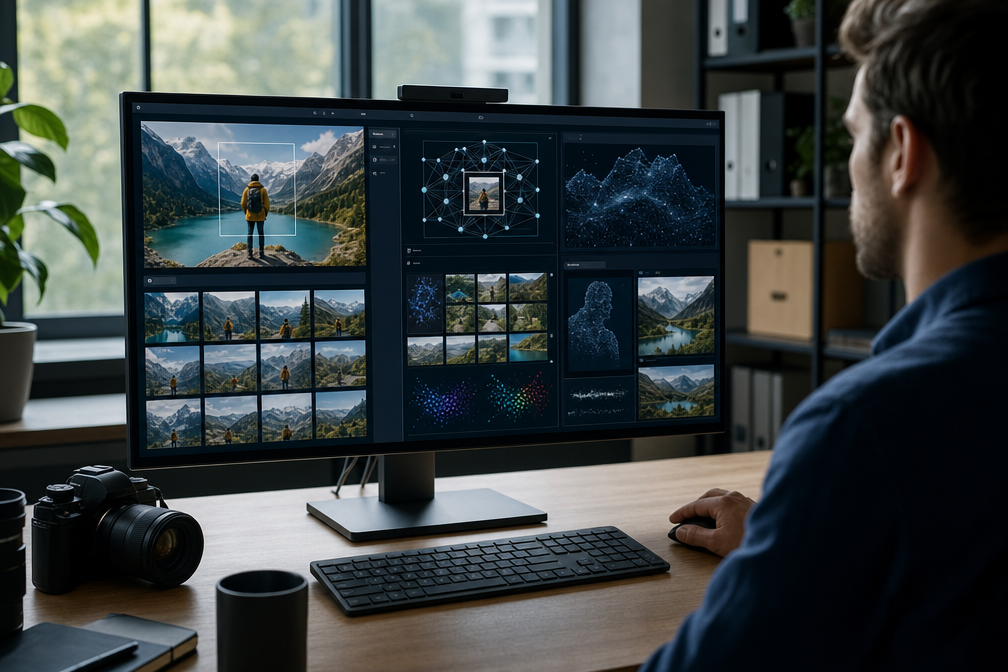

You live in a world where visuals drive every decision. Images shape shopping, journalism, and branding. Billions of searches daily prove that you depend on visual discovery more than text. The right image search technique gives you speed, accuracy, and authenticity. You can verify sources, track assets, and uncover inspiration in seconds. AI has transformed image search into a powerful tool that connects you directly to the content you need.
Why Do You Need Image Search?
You rely on visuals to make fast decisions. Images influence shopping, journalism, and branding. Billions of searches daily prove that visual discovery is now the default. The right technique saves time, verifies authenticity, and improves accuracy.
What Are the Core Image Search Methods?
- Keyword Search: Enter descriptive words. Best for general browsing.
- Reverse Image Search: Upload a photo or paste a URL. Essential for authenticity checks and plagiarism detection.
- Visual Similarity Search: Finds aesthetically close matches. Useful in fashion, design, and eCommerce.
- Pattern & Color Search: Matches palettes for brand consistency. Ideal for campaigns and creative industries.
- Object & Text Recognition (OCR): Extracts text or isolates products. Valuable in research and shopping.
- Facial Recognition: Identifies people across multiple photos. Applied in security, media, and social tracking.
How Does Image Search Work?
AI breaks images into textures, colors, shapes, and edges.
Systems convert features into vector embeddings.
Algorithms compare vectors using cosine similarity.
Deep learning enables recognition of logos, handwriting, and even emotions.
This shift from metadata to pixel‑level analysis makes searches smarter and faster.
Which Tools Should You Use?
- Google Images: Largest index for keyword and reverse search.
- Google Lens / Bing Visual Search: Built‑in product recognition and OCR.
- TinEye: Fingerprinting detects cropped or edited duplicates.
- LensGo AI / Yandex: Strong in facial recognition and landmark detection.
- Pinterest Lens: Lifestyle, decor, and fashion inspiration.
- Shutterstock Reverse Search: Copyright protection and asset tracking.
How Can You Improve Accuracy?
- Use high‑resolution files.
- Crop cluttered backgrounds.
- Cross‑check across multiple engines.
- Apply filters for license, color, and size.
- Set alerts to track duplicates.
Where Is Image Search Applied?
- eCommerce: Product discovery and alternatives.
- Journalism: Verification of viral images.
- Marketing: Brand color consistency.
- Education: OCR for manuscripts.
- Law Enforcement: Facial recognition.
- Social Media: Logo and brand tracking.
What Is the Future of Image Search?
- Multimodal Search: Combine text, voice, and visuals.
- Augmented Reality: Real‑time recognition via cameras.
- On‑Device AI: Privacy‑focused searches.
- Emotion Recognition: Context‑aware results.
- Video Frame Indexing: Search inside moving images.
Conclusion
Image search has evolved into an AI‑driven discovery system. You can verify authenticity, track assets, and find inspiration faster than ever. Success depends on choosing the right technique, using high‑quality inputs, and combining tools for comprehensive results.
FAQs
Q. What is reverse image search?
A. Reverse image search allows you to upload a photo or paste a URL. The system finds exact or similar matches across the web. You can verify authenticity, detect plagiarism, or locate the original source.
Q. Which tools are best for detecting stolen images?
A. LensGo AI and TinEye are top choices. LensGo AI provides alerts when duplicates appear online. TinEye identifies modified versions with strong accuracy.
Q. How does visual similarity search differ from reverse search?
A. Reverse search looks for exact matches. Visual similarity search finds aesthetically close results based on layout, texture, and color. It is widely used in fashion and interior design.
Q. What are the main types of image search techniques?
A. The core methods include keyword search, reverse search, visual similarity, pattern and color search, and facial recognition.
Q. When should you use keyword-based search?
A. Use keyword search when you need concept visuals or general browsing. It works best when you can describe the image clearly with text.
Q. How can you improve search accuracy?
A. Use high‑resolution files, crop cluttered backgrounds, and apply filters for license, color, or size. Cross‑check results across multiple engines like Google Images, Bing Visual Search, and Yandex.
Q. What industries benefit most from image search?
A. eCommerce, journalism, marketing, education, and law enforcement rely heavily on image search for accuracy and efficiency.
Discover trending tech, guides, and smart insights at QuickFast.