
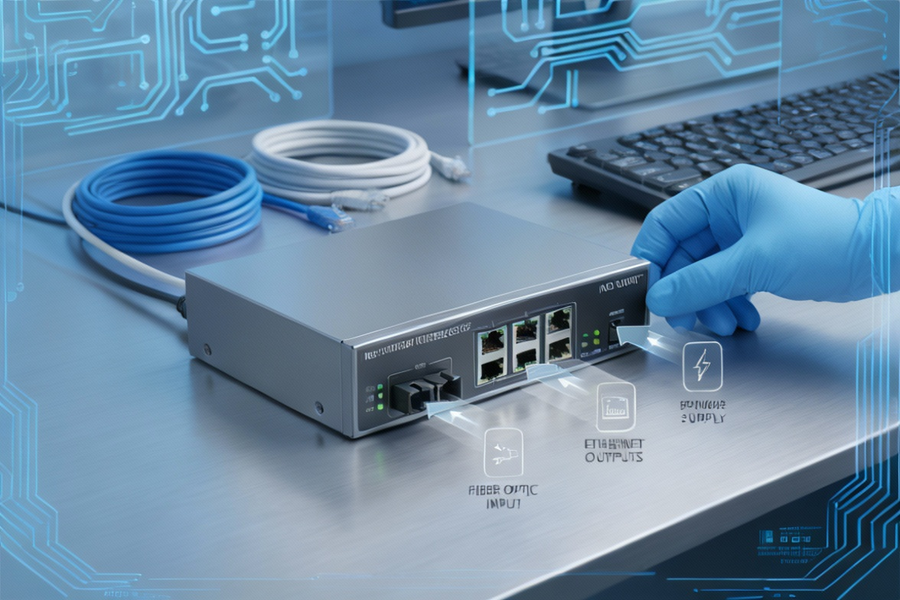

A network interface device (NID) is the point where your Internet Service Provider’s (ISP) responsibility ends and your internal network begins. Usually installed outside your home or inside a utility closet, the NID acts as a demarcation point, offering surge protection, troubleshooting access, and signal conversion for copper, fiber, or Carrier Ethernet connections.
Modern NIDs are more advanced. They support fiber‑optic services, smart diagnostics, and Carrier Ethernet standards for mobile backhaul and enterprise networks. As demand for 5G and multi‑gig fiber grows, NIDs are becoming smarter, more reliable, and essential for both residential and business connectivity.
What Does a NID Do?
- Demarcation point: Defines ISP vs customer responsibility.
- Surge protection: Shields against lightning and electrical surges.
- Testing access: Includes a test jack to isolate internal vs external issues.
- Signal conversion: Fiber NIDs convert optical signals into usable internet data.
Types of Network Interface Devices
| Type | Features | Use Case |
| Basic NID | Standard connection, test jack | Residential copper lines |
| Smart NID | Diagnostics, alerts, remote monitoring | Smart homes, enterprise |
| Fiber NID | Optical‑to‑electrical conversion | Fiber internet services |
| Carrier Ethernet NID | CE 2.0 compliant, OAM, SyncE, IEEE 1588v2 | Mobile backhaul, business |
NID vs NIC vs Modem
- NID: External demarcation device, ISP boundary.
- NIC (Network Interface Card): Internal hardware in PCs/servers enabling LAN/WAN connectivity.
- Modem: Converts analog/digital signals, sits after the NID.
Example: ISP installs a NID outside your house. Inside, your modem connects to the NID, and your computer’s NIC connects to the modem/router.
Components of a NID
- Weather‑resistant housing
- Surge protection
- Line splitter & test jack
- Battery backup (fiber NIDs)
- Clock synchronization (Carrier Ethernet NIDs)
Installation and Troubleshooting
- Installation: Exterior walls or utility closets.
- DIY checks: Plug a phone into the test jack. Dial tone = internal issue; no tone = ISP issue.
- Professional setup: Fiber and Carrier Ethernet NIDs require certified technicians.
Advanced Features in Modern NIDs
- Remote diagnostics for ISPs
- Battery backup for fiber services
- CE 2.0 compliance for SLA guarantees
- Precise time synchronization for 4G/5G backhaul
Market Insights
- Global market size: USD 1.2B (2024) → USD 2.3B (2033)
- Growth drivers: Fiber expansion, 5G backhaul, smart home integration.
- Top queries in 2026: “NID vs modem,” “fiber NID,” “carrier Ethernet NID,” “smart NID features,” “NIC examples.”
Future of NIDs
- Smart home integration with IoT hubs.
- Support for multi‑gig fiber speeds.
- Advanced remote diagnostics for ISPs.
- Carrier Ethernet expansion for global 5G deployments.
FAQs
1. What does a network interface device do?
It defines ISP vs customer responsibility, protects against surges, and allows troubleshooting.
2. Where is a NID installed?
Outside homes near service entry points or in utility closets.
3. What are the types of NIDs?
Basic, Smart, Fiber, and Carrier Ethernet NIDs.
4. How is a NID different from a modem?
NID is passive/smart demarcation; modem is active signal conversion.
5. Can I test my connection using a NID?
Yes, via the test jack. Dial tone = internal issue; no tone = ISP issue.
6. Why are NIDs important for fiber and 5G?
They handle optical conversion, battery backup, and precise synchronization for mobile backhaul.
7. Who owns the NID?
Typically, the ISP owns and maintains it.
8. What is the future of NIDs?
Integration with smart homes, fiber upgrades, and 5G backhaul expansion.
Conclusion
A network interface device is the gatekeeper of connectivity, ensuring reliable service, enabling diagnostics, and supporting advanced fiber and Carrier Ethernet deployments. With the market expanding rapidly, NIDs are evolving into smart, fiber‑ready, and 5G‑compatible devices that will remain essential for both residential and enterprise networking.
Speedy coverage. Thoughtful perspective. Only on QuickFast